Vikalp
An Obsidian plugin for settling on the right way to say something. Keep several versions of a word, sentence or paragraph in place. Fade text instead of deleting it. Lint on demand. Ask AI for options and cuts, never for prose.

Install
- Download
main.js,manifest.jsonandstyles.cssfrom the latest release. - Put them in
<your vault>/.obsidian/plugins/vikalp/. - In Obsidian, open Settings → Community plugins and turn on Vikalp.
- For the AI features, add an OpenRouter key in Settings → Vikalp. Everything else works without one.
- For hotkeys, turn on Use suggested hotkeys in Settings → Vikalp, or set your own in Settings → Hotkeys. Vikalp takes no keys until you do.
How to use
Versions in place
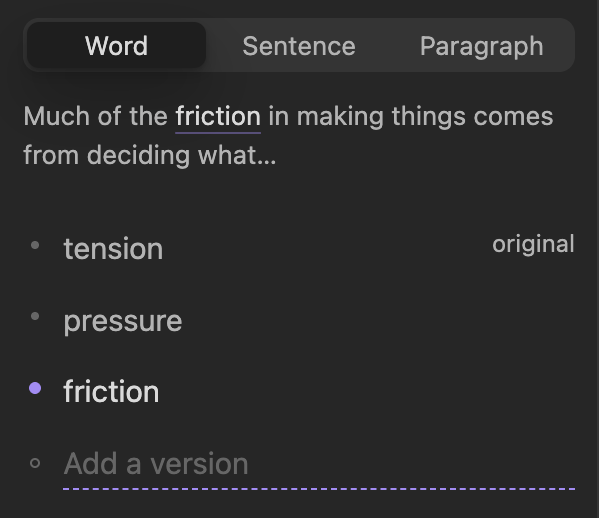
Put the cursor on a word and press ⌘J. Type a version and press Return. Add as many as you like. Press ⌘J again for the sentence, again for the paragraph.
Hover the word and press the arrow keys to read each version in the note. There is no accept step: whatever is showing is the note. ⌘Z undoes any swap.
Ghosting
Select text, press ⌘. then G. It fades but stays in the note and out of the word count. Right-click → Revive brings it back. Copy clean text copies the note without it.

Overflow
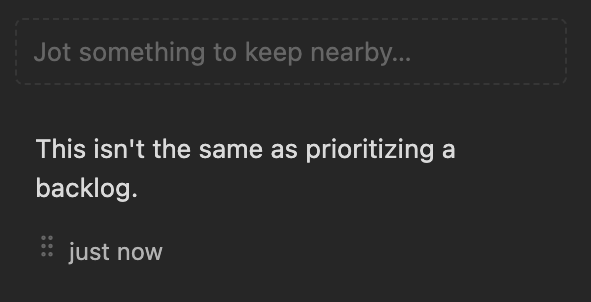
Select text, press ⌘. then S. It moves to a side panel kept with the note. Drag it back when it fits.
Linter
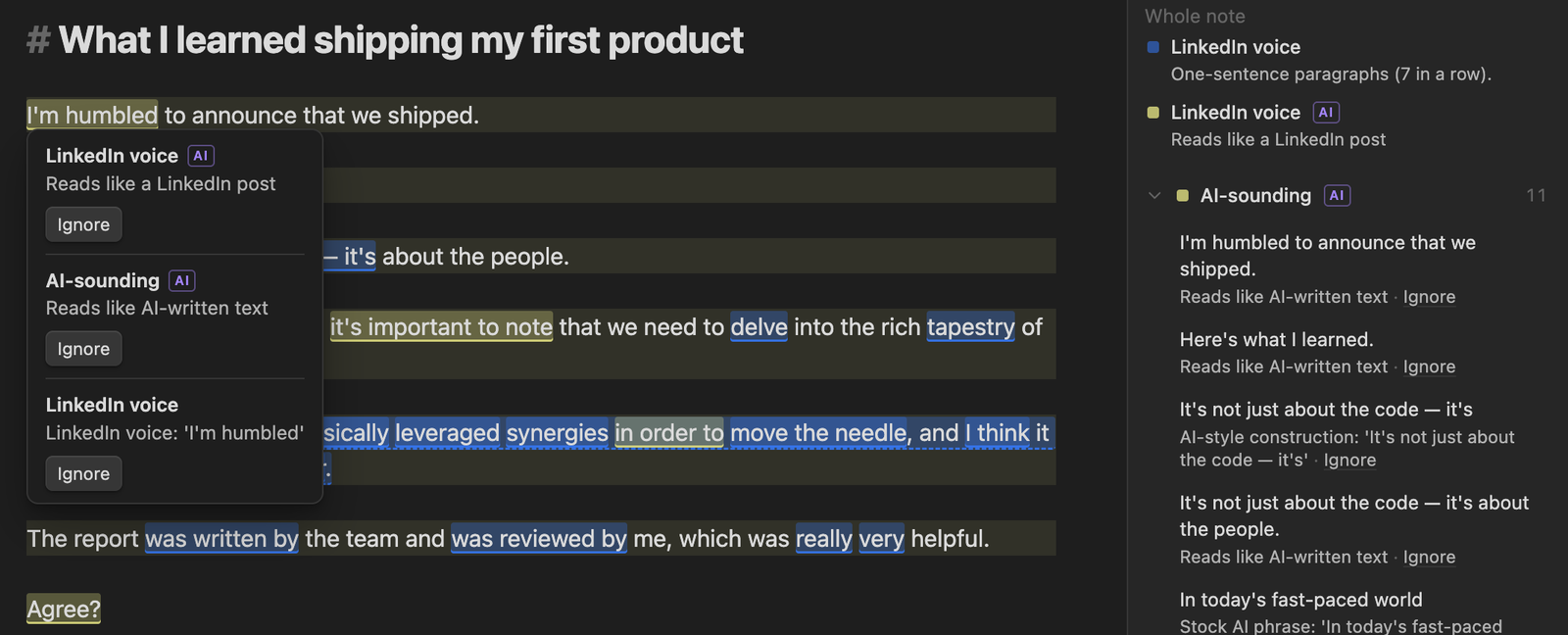
Press ⌘. then L. It flags hedging, wordiness, AI-sounding phrases, LinkedIn voice, repetition and passive voice. It runs only when you ask. Edit the rules or add your own in settings.
The Lab
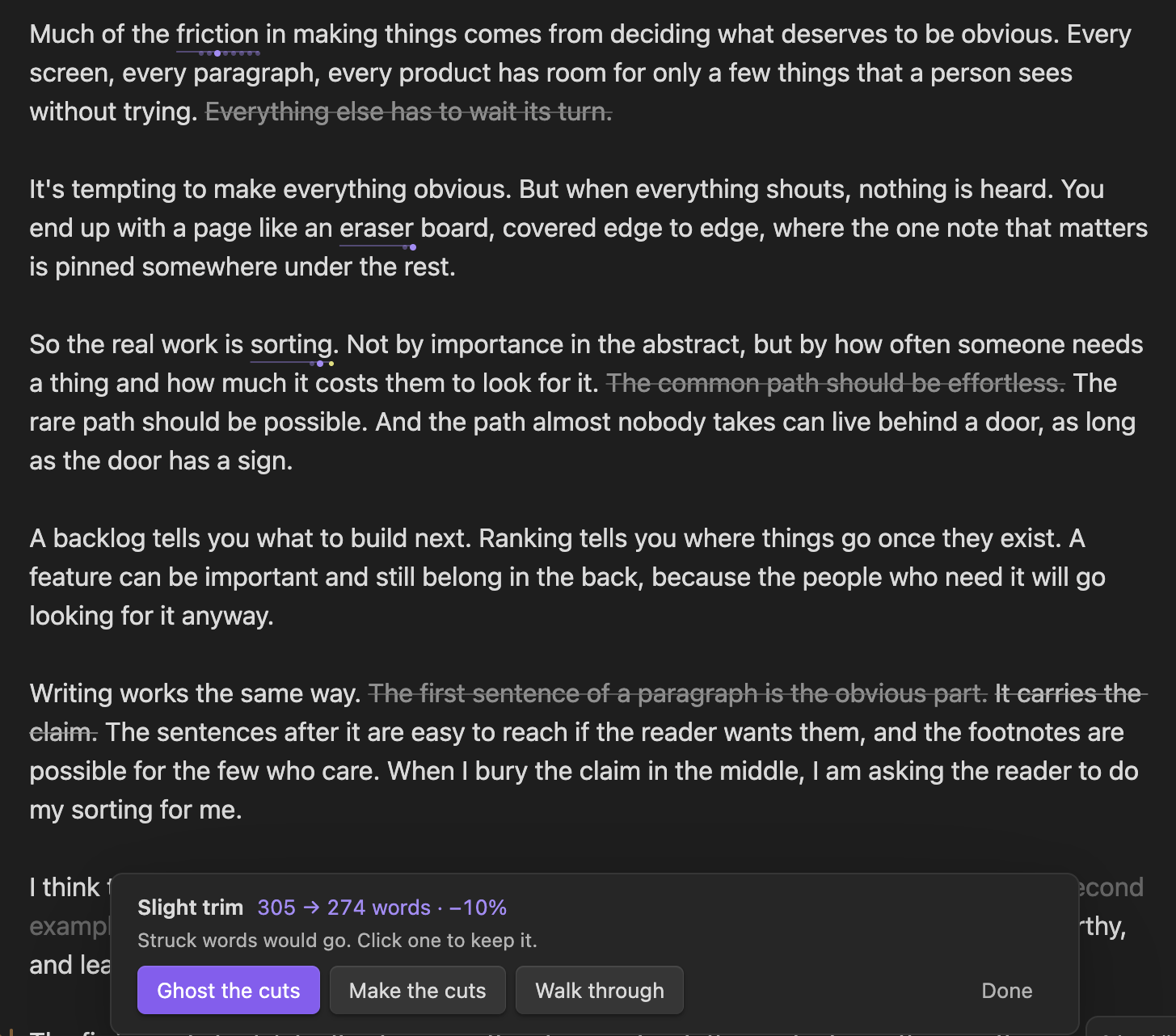
Click Lab in the status bar. Mark passes point at typos, weak sentences and off-tone words. Trim levels strike through the words a model would cut, from 10% to 50%. You keep or cut each one. Nothing is deleted unless you choose to.
Read-through
Press ⌘. then R to hide every marker and read like a reader. Esc returns.
The full guide covers every feature.
Keys
These are the suggested hotkeys. Turn them on in Settings → Vikalp → Hotkeys.
| ⌘J | Versions for the word or selection. Again: sentence. Again: paragraph. |
| ⌘⇧J | Ask AI for versions |
| ⌥↑ ⌥↓ | Switch versions from the cursor |
| ⌘. | Every other action, one letter away |
Every action is also a command. Change any key in Settings → Hotkeys.
AI and privacy
- AI never writes into your note. It can add labelled versions, mark text, or suggest cutting your own words.
- Nothing runs without a click. There is no background AI and no telemetry.
- When you run an AI action, the text it needs is sent to OpenRouter with your own key. You pay OpenRouter directly. The Lab shows what each call cost.
- Vikalp's data for a note stays in your vault, in
.obsidian/plugins/vikalp/notes/.